RAG with the Google File Search Tool
I Built a RAG App with Google’s File Search Tool (So You Don’t Have To... Yet)
Let’s be honest: building a RAG (Retrieval-Augmented Generation) pipeline from scratch is the digital equivalent of assembling furniture without the instructions. You have to figure out chunking strategies, set up a vector database, manage embeddings, and somehow wire it all together without crying.
So, when I stumbled upon Google’s Gemini File Search API, I thought I’d found the cheat code. The promise? Upload your documents, and Google handles the chunking, embedding, and storage. Basically, "RAG in a box."
The concept is brilliant, as you can see below:
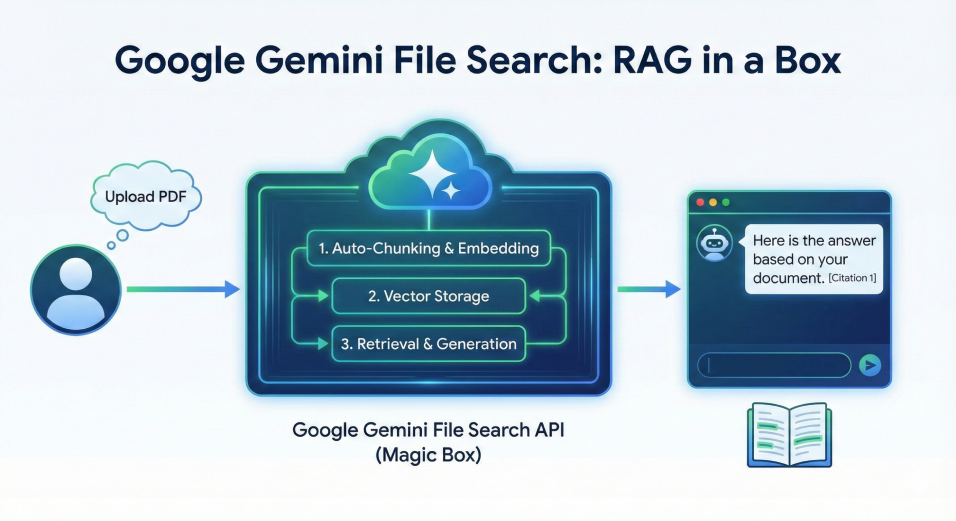
I spent the weekend building a demo application to test it out. And honestly? It’s pretty magical. You throw a PDF at it, ask a question, and it answers with citations.
But, like that furniture, once I looked closer, I realised there were some screws missing. If you’re planning to use this in production, here are the shortfalls I learned the hard way.
1) The "Evil Twin" Problem (No Deduplication)
This was the first brick wall I ran into, and it hit my demo app hard.
I assumed naively, perhaps, that a company organising the world's information would notice if I uploaded the exact same file twice.
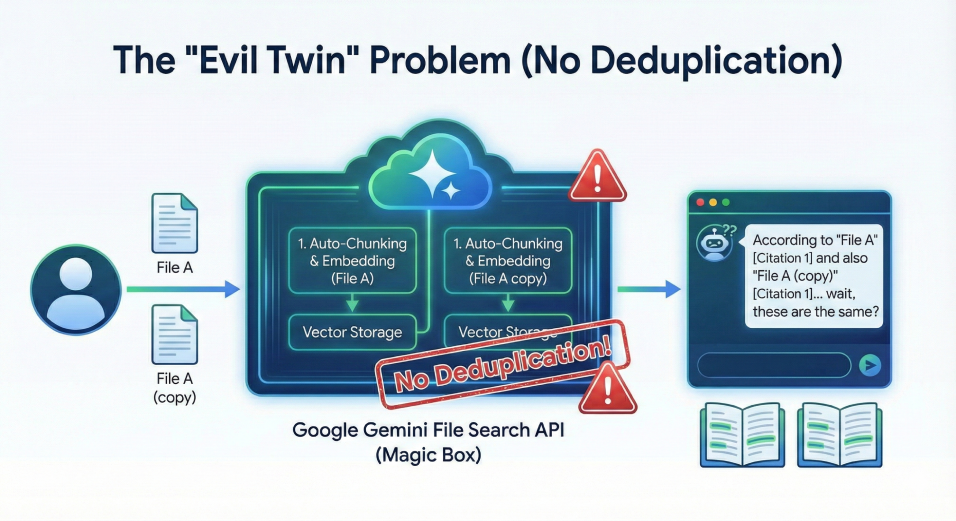
They do not. The API happily accepts duplicate files, creating a brand new set of chunks and embeddings for each copy. This leads to a messy and confusing situation, as illustrated here:
The result?
- Bloated Costs: You are paying to embed the same data multiple times.
- Confused Bot: The citations get messy, referencing "Annual Report" and "Annual Report (1)" indiscriminately for the same information.
- Garbage Results: If you have 5 copies of the same file, your search results get flooded with duplicates, potentially pushing unique relevant information off the list.
The Fix: You have to build your own "bouncer" at the door. Hash your files (MD5/SHA256) locally and check them against a database of what you’ve already uploaded.
2. The "Black Box" Chunking
Google handles the "chunking" (splitting your document into small, digestible pieces for the AI). This is great for getting started quickly, but terrible for control freaks.
You can’t easily see how it sliced your document. Did it cut that sentence in half? Did it separate the table header from the table data? Who knows! It’s a black box. If the AI isn’t finding the right answer, you can’t easily debug the chunks to see if the data was split weirdly. You just have to trust the algorithm.
3. The "48-Hour Ghost" Confusion
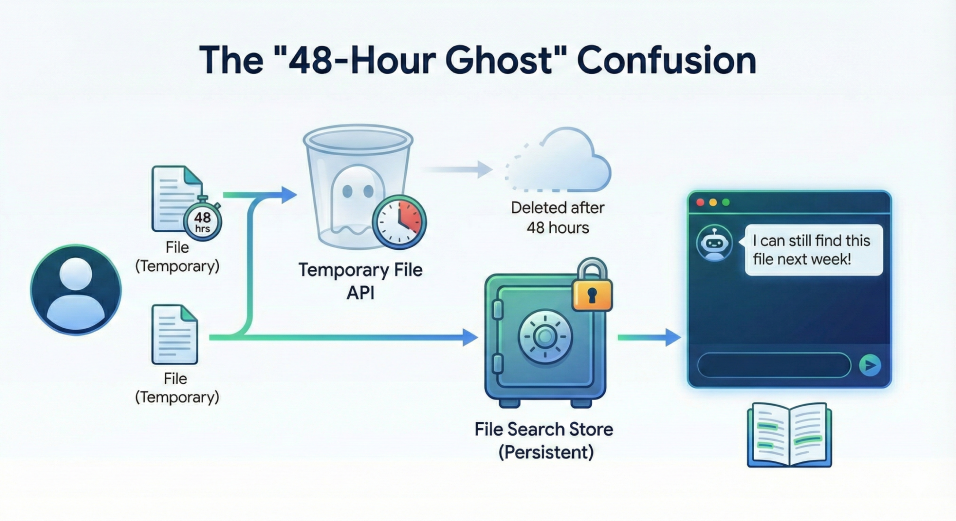
There is a confusing distinction in the API between a File and a File Search Store.
- Files are temporary. They self-destruct after 48 hours.
- File Search Stores are persistent.
If you aren't careful, you might upload a file, get a URI, and try to use it three days later only to find it has vanished into the digital void. You have to ensure you are explicitly importing your files into a Store if you want them to stick around.
Here's a visual of how that works:
The Verdict? Google's File Search tool is fantastic for prototyping. It saved me hours of setup time and allowed me to show off a working demo in an afternoon.
But for a production app? Be prepared to build your own safety rails. You are still the janitor for your data, Google just provides the closet.